

Spaces and membership
Create spaces, define structure, and configure how members join.
Self-serve guide
A self-serve guide to set up your Space on Hypha.
Create spaces, define structure, and configure how members join.
Set up voting methods, create tokens, and reward contributions.
Manage funds, deploy capital, and configure value flows.
Phase 1
Create your Hypha account and familiarize yourself with the platform.
The Web Application is accessible at app.hypha.earth. It is designed for Creators, Contributors and Funders — the people who actively contribute to your organization and receive rewards for their contributions.
Creating a Hypha account takes less than a couple of minutes in 3 steps:
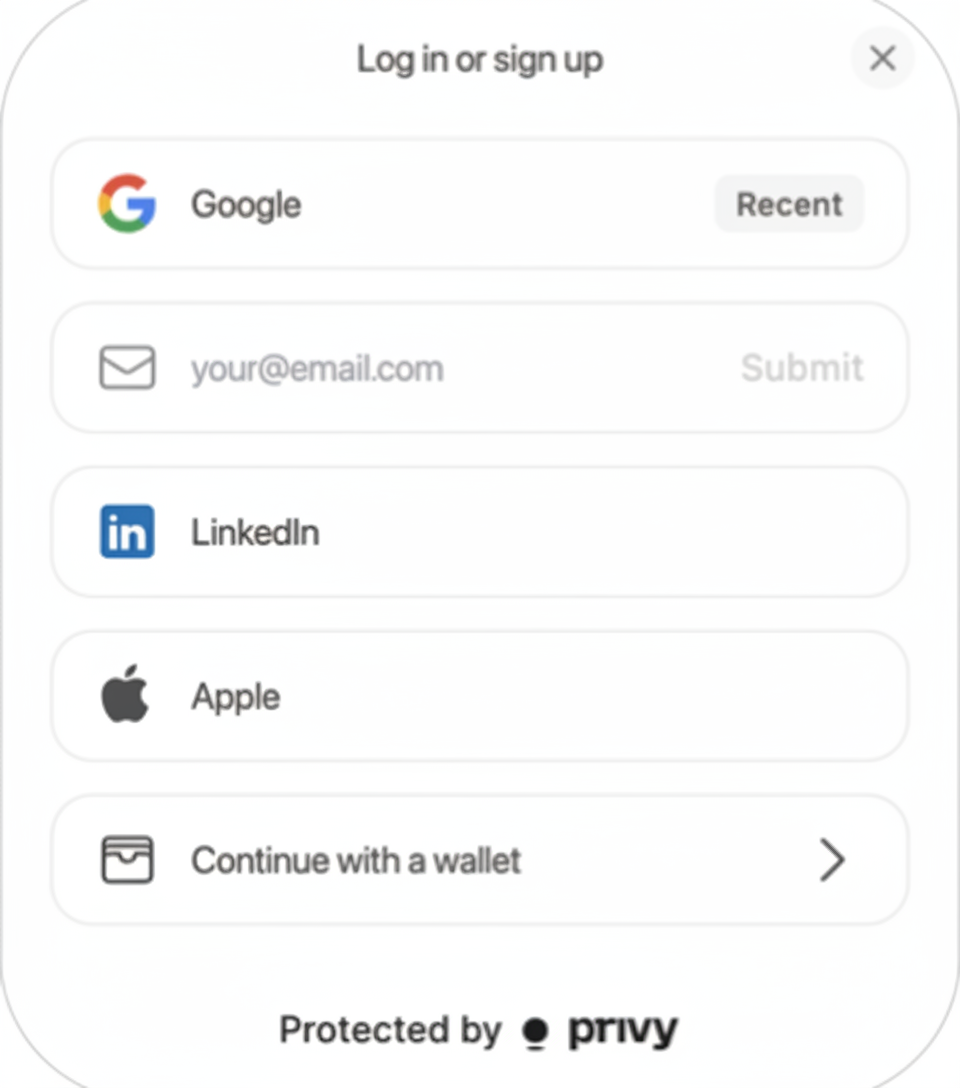
Click on "Get Started" in the top right corner of your screen.
Currently available: email, Google, Apple and LinkedIn. For Web3 users, you can also connect an existing wallet.
Add your name, profile image, short bio, preferred email, location and social links.
When creating your Hypha account, your personal blockchain address is automatically generated. To keep your account secure:
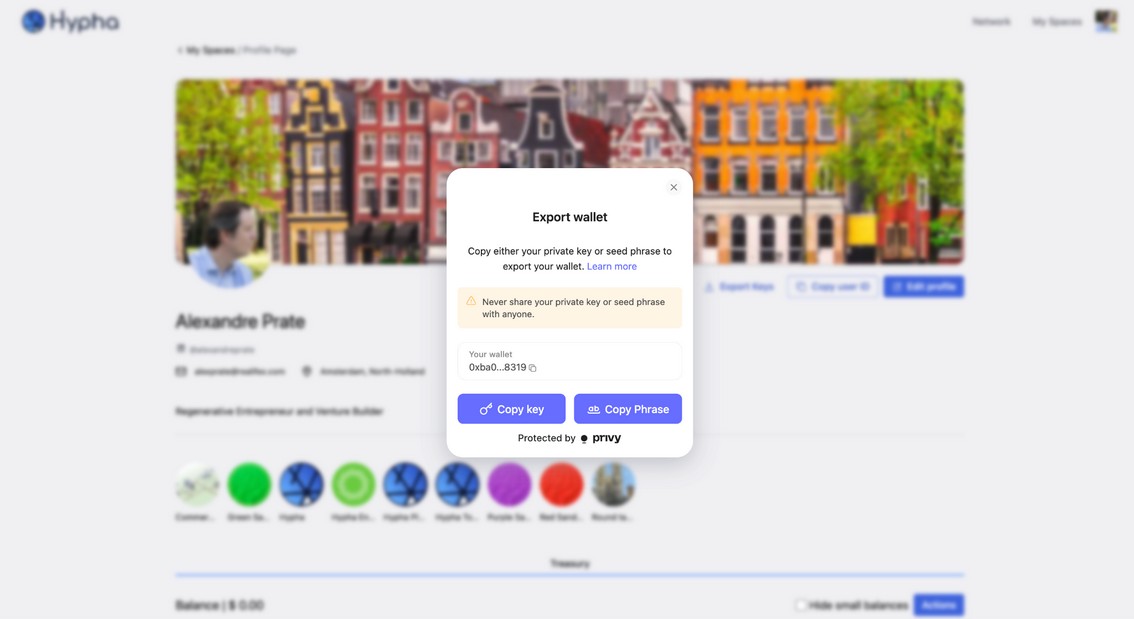
Click on "Export Keys" on your profile page.
Click on "Copy Key" and save it in a safe place (password manager or password-protected note).
Click on "Copy Phrase" and save it in a safe place as well.
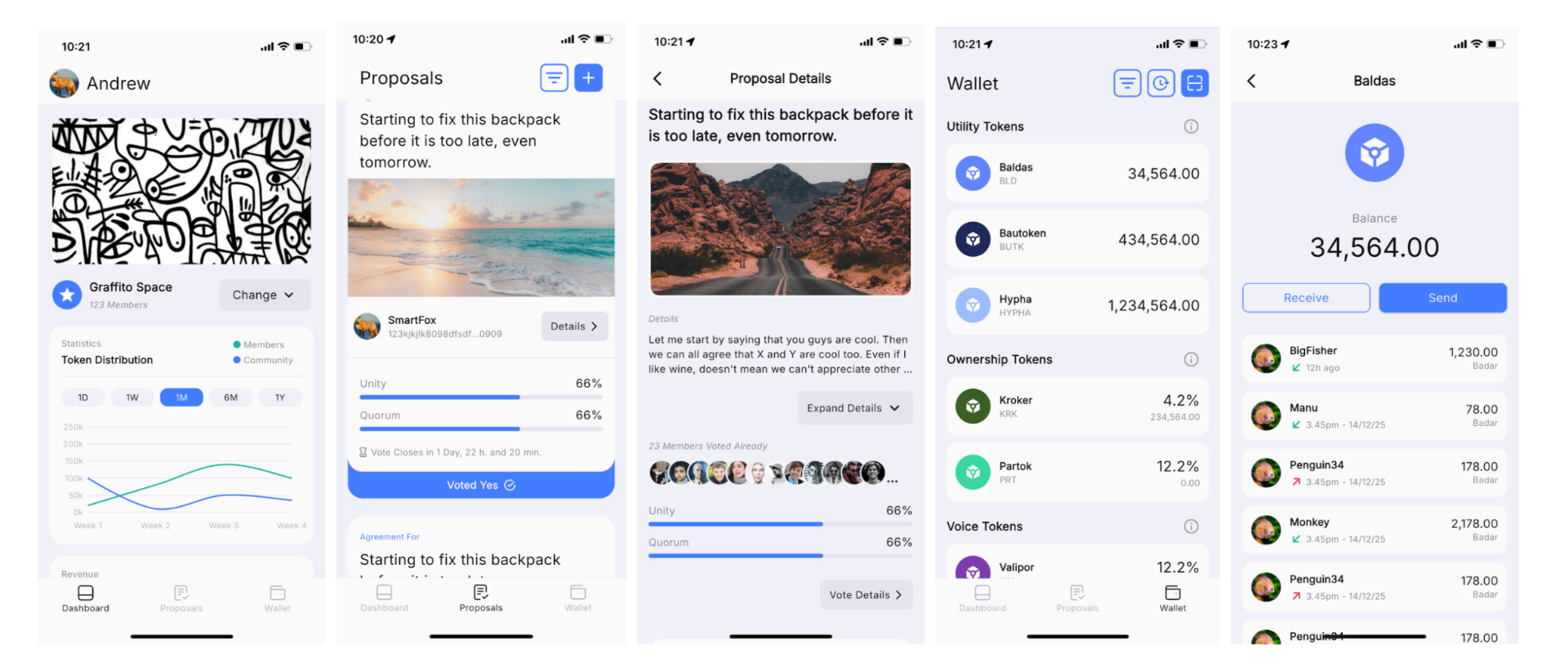
A Community Member Mobile App is currently under development and will be available soon. This app is designed with simplicity in mind, specifically for community members who may not be involved in daily operations but want to actively participate in governance and the community's purpose.
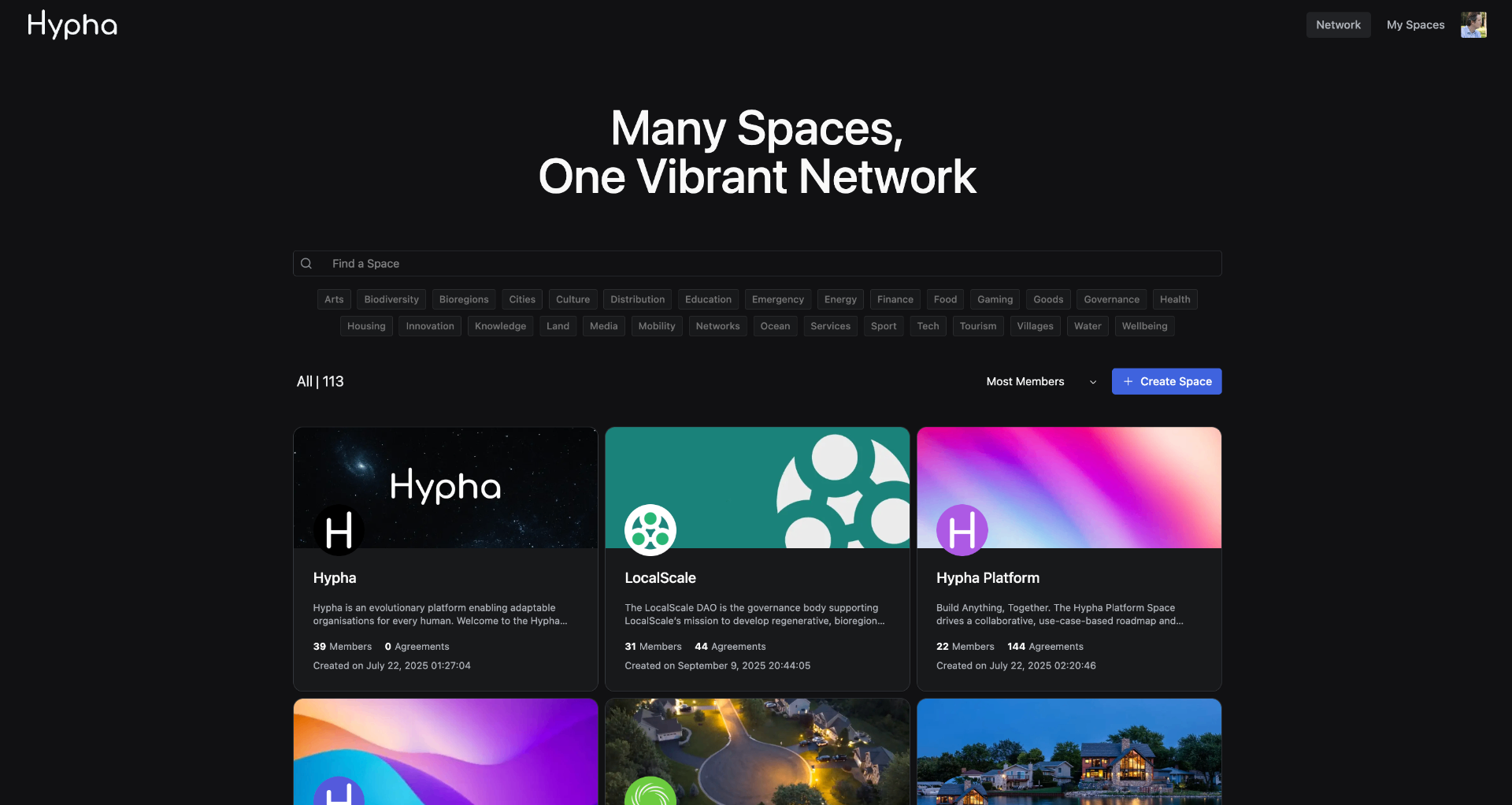
Explore the Hypha Network and discover spaces.
The Network is the public directory of all spaces on Hypha. It allows you to browse, search and filter spaces by category, from Arts and Biodiversity to Villages and Wellbeing. You can discover organizations, join open spaces, or create your own.
The Network page is accessible at app.hypha.earth/network. From here you can explore 113+ spaces, sort by most members, and click "Create Space" to launch your own.
Phase 2
Create and structure your collaborative environment.
A Space is the foundational container for your organization on Hypha. It's where members collaborate, make decisions through governance, manage treasuries, and coordinate contributions. Think of it as your organization's living structure — it includes membership rules, governance, tokens, treasury, and contribution tracking.
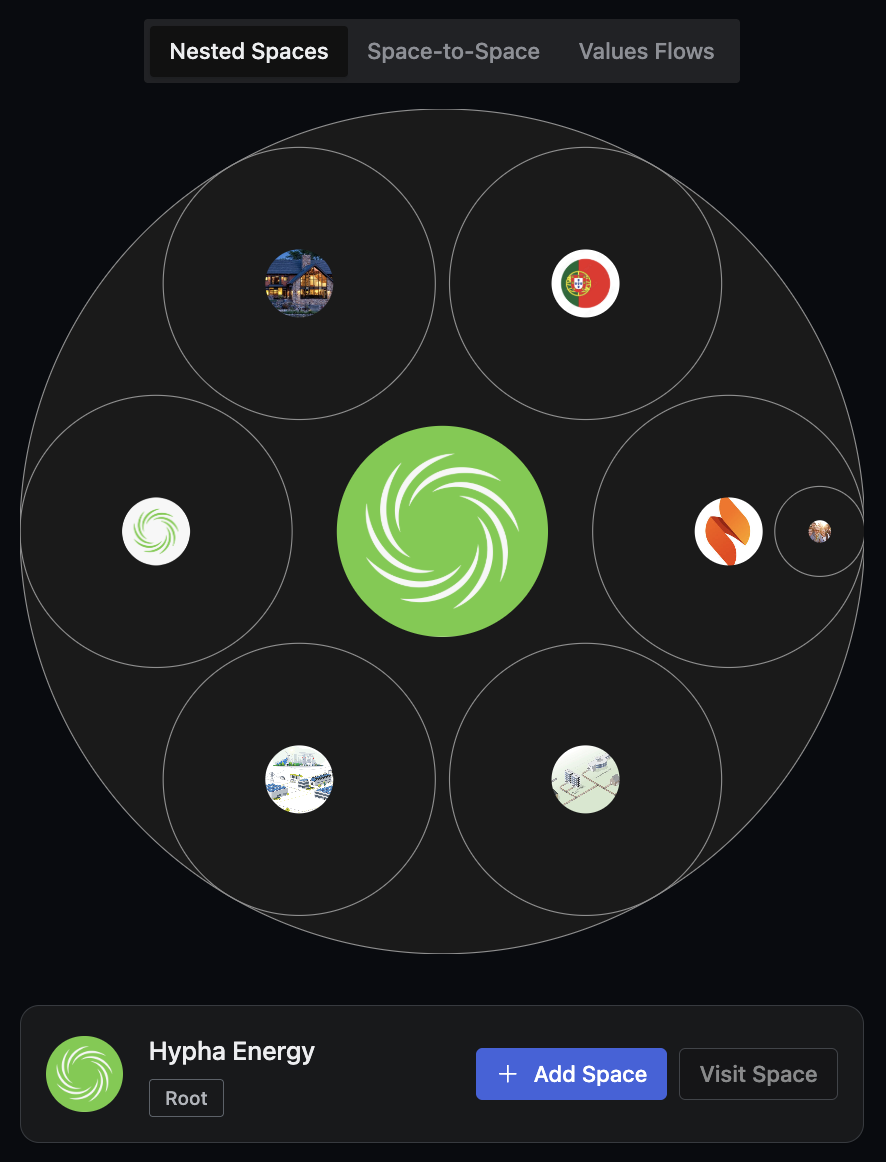
Spaces can contain sub-spaces, creating a nested organizational structure. This structure is not fixed — it's a living system that evolves in response to your needs and different phases of development. Just as nature grows and adapts, your organization can expand or contract in tune with its environment and resources.
The My Spaces page is your personal dashboard for all the spaces you belong to. Search, filter, and manage your spaces from one place, and create new ones with a single click.

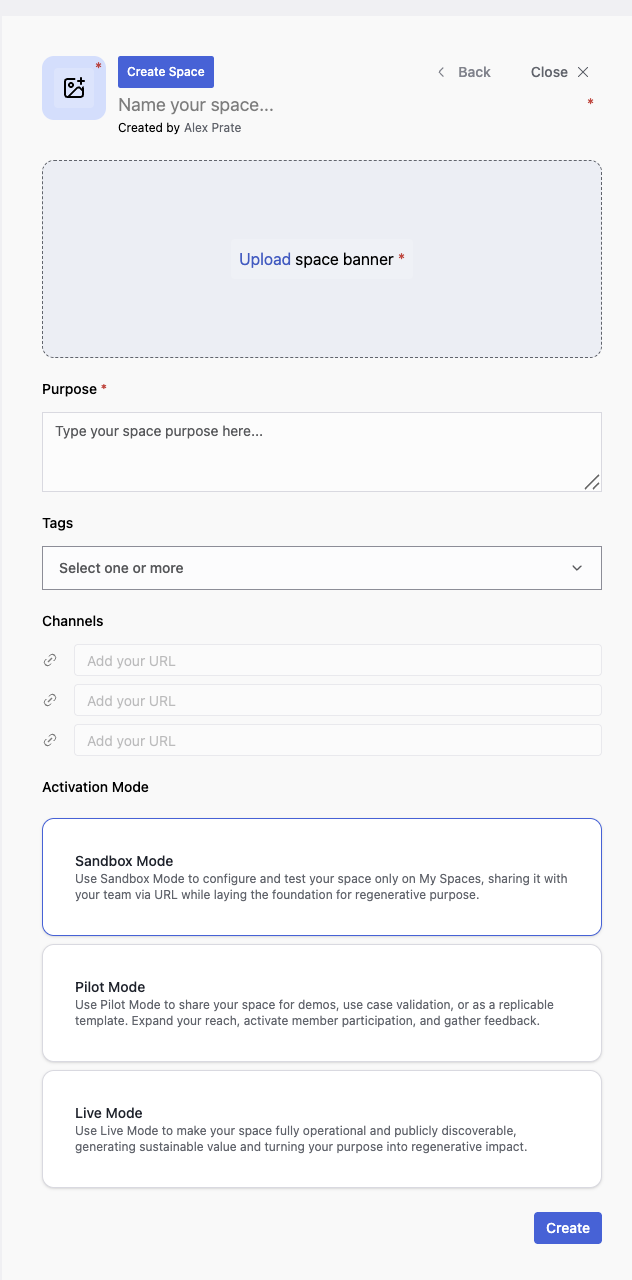
When creating your space, a process that takes only a few minutes, you can draft an initial purpose statement and add tags for the industry (or problem space) where you aim to create social and ecological impact.
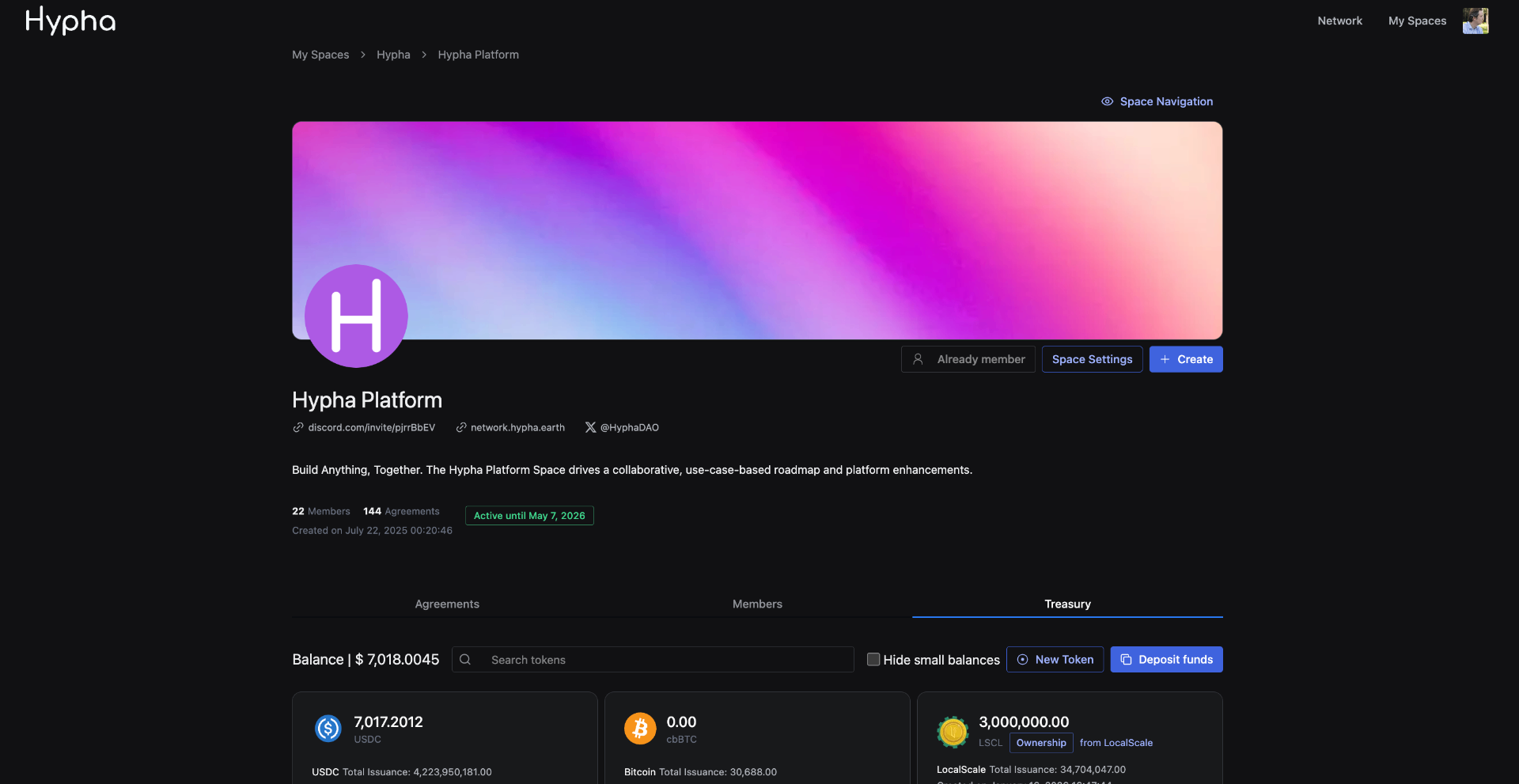
Once created, your space has an overview page showing space info, members, agreements, treasury balance, and quick access to governance, contributions and settings. You can also add sub-spaces from the overview or space settings.
Access and manage the settings for your space, including its appearance, structure, methods, membership, and treasury.
Customise your space by setting its purpose, adding branding elements, and linking social media.
Define the level of transparency you collectively want to apply to your space.
Create a new space within your organisation for activities, teams, or projects.
Contribute HYPHA or USDC to activate your space(s) and support the Hypha Network.
Archive this space to disable activity while preserving its data and history.
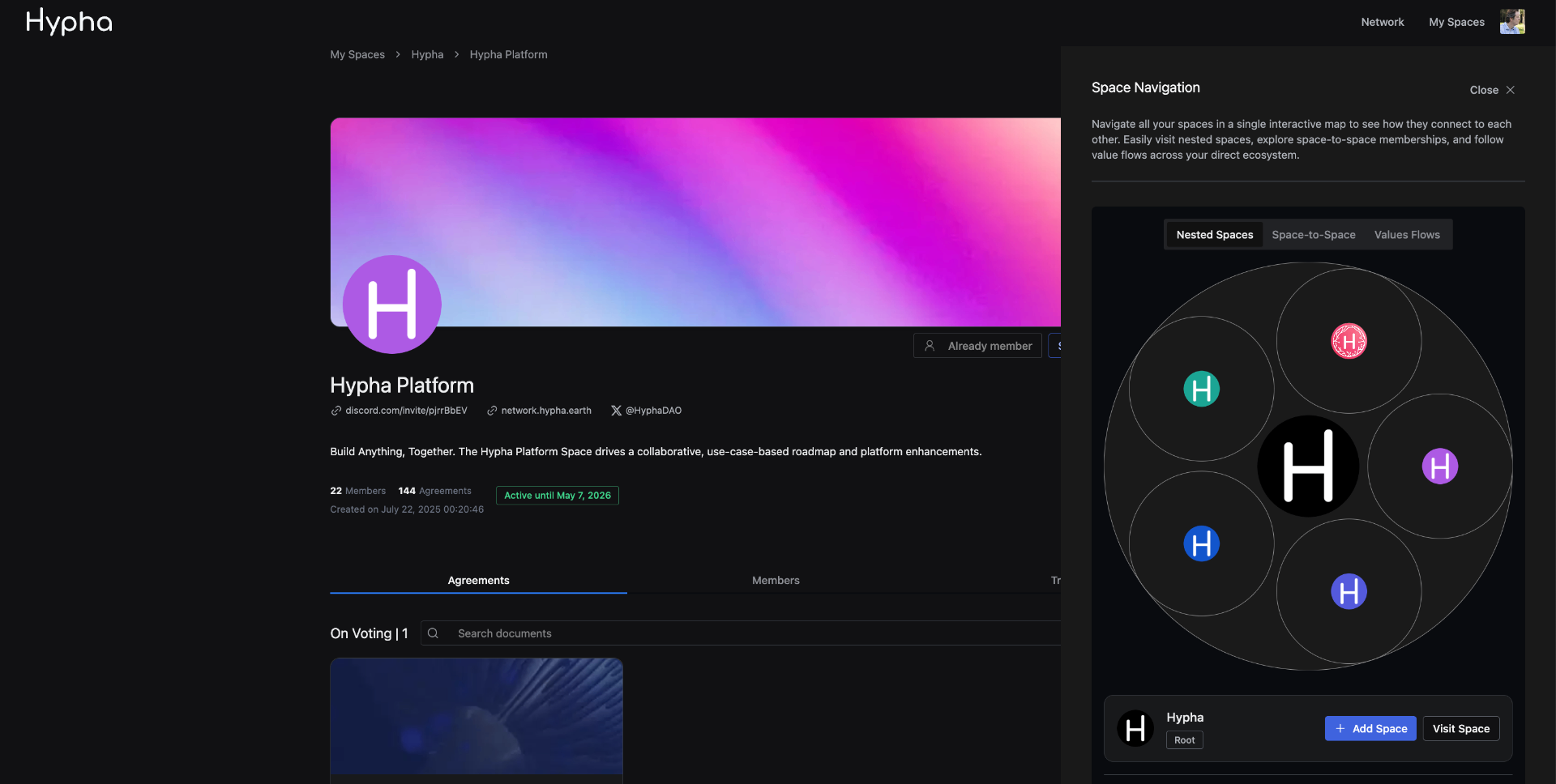
Navigate all your spaces in a single interactive map to see how they connect to each other. Easily visit nested spaces, explore space-to-space memberships, and follow value flows across your direct ecosystem.
Phase 3
Define roles and manage how members join your space.
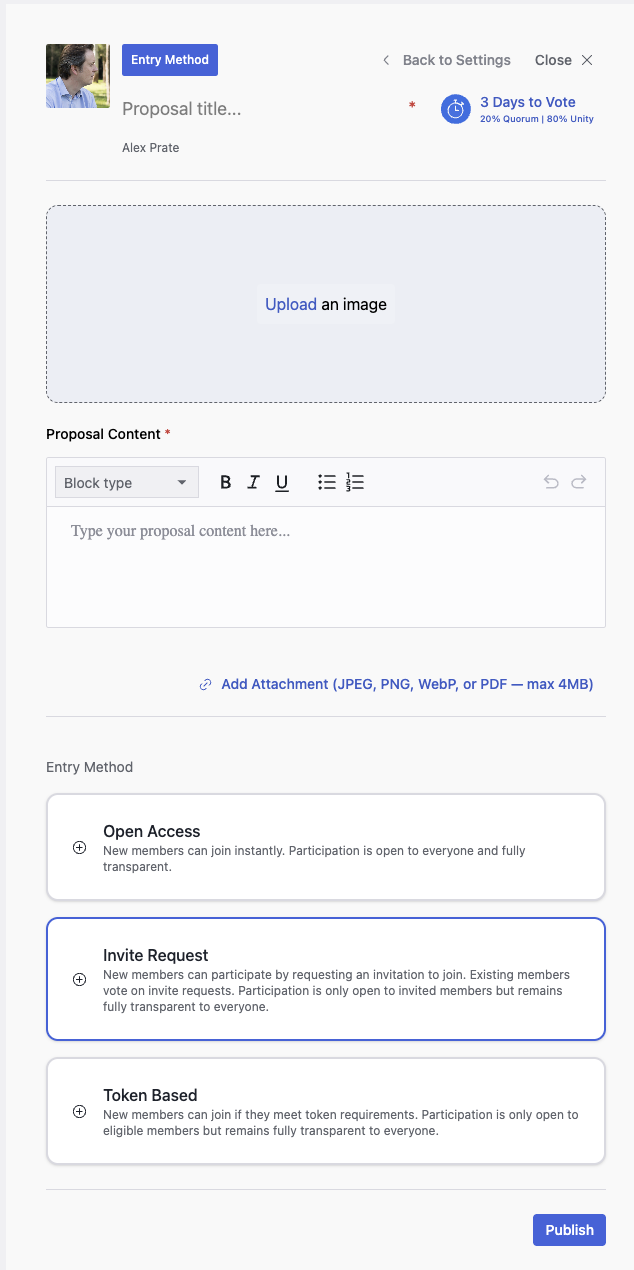
Entry methods define how individuals join your spaces. These can be configured differently in each of your spaces. In Space Settings, click on "Entry Method" to create an Entry Method Proposal — this will be voted on by your space members.
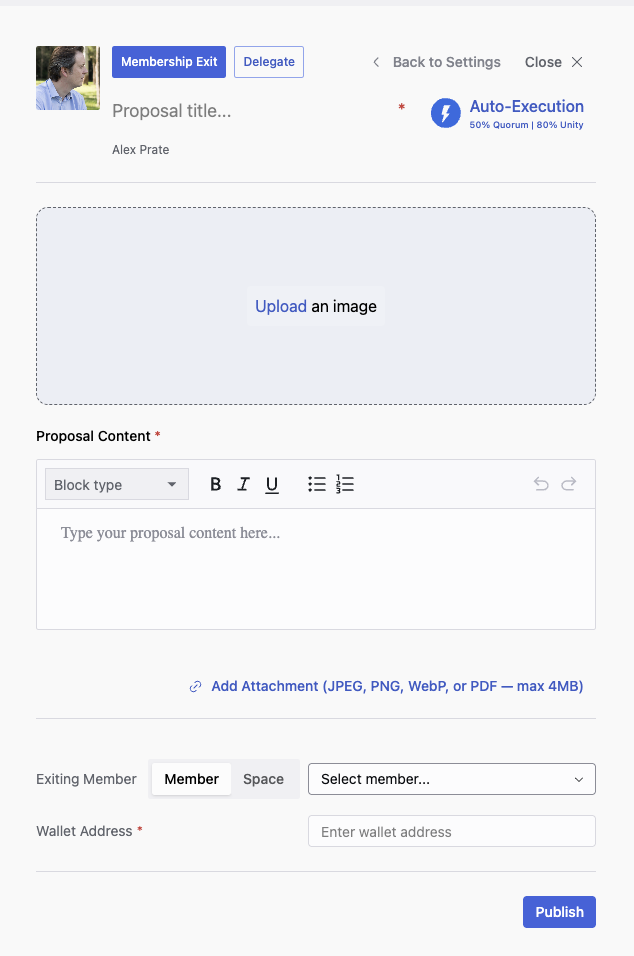
Remove a member from your space if they infringe upon agreed rules and policies. In Space Settings, click on "Membership Exit" to create a proposal for member removal, which will be voted on by existing members.
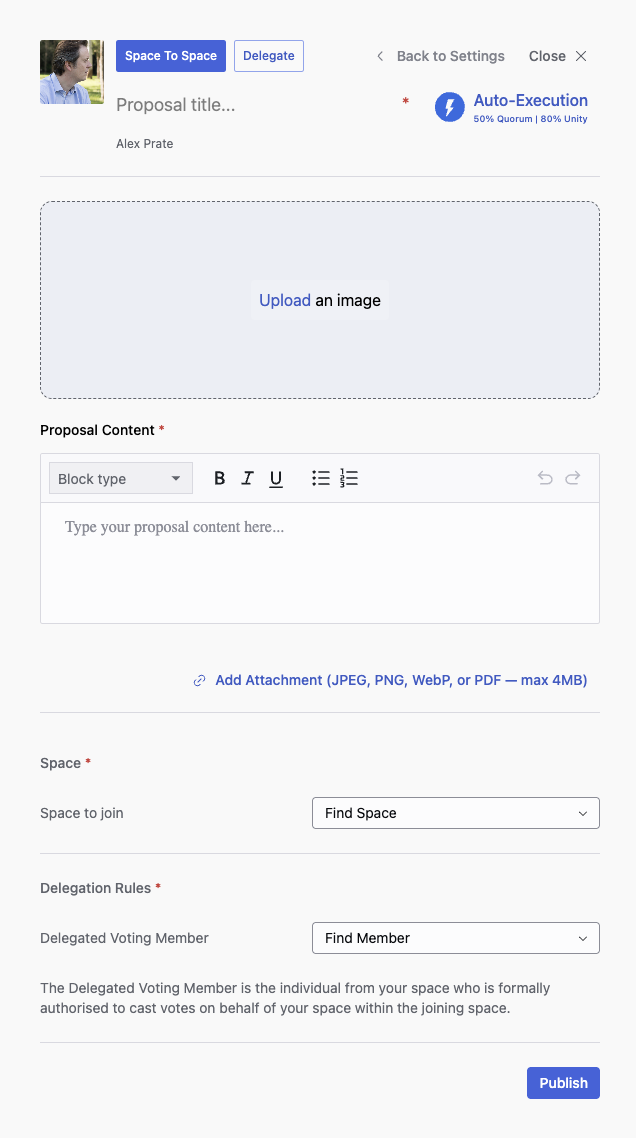
Allow your space to join another space as a member, gaining the ability to participate in governance and vote on proposals. A Delegated Voting Member is assigned to cast votes on behalf of your space within the joining space.
Phase 4
Set up voting methods and decision-making processes.
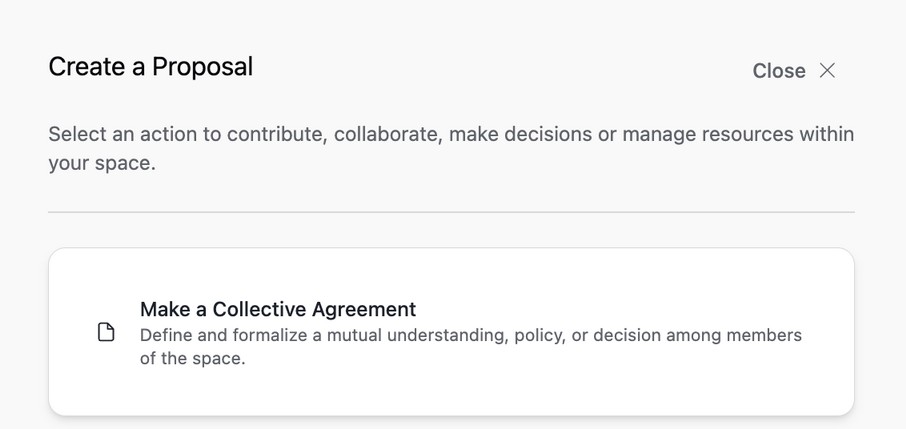
Proposals are the core mechanism for collective decision-making in Hypha. To create a proposal, click the "Create" button inside your space and choose from available templates such as "Make a Collective Agreement." In the proposal, you can write your content using a rich text editor and attach supporting documents. Proposals are then voted on by your space members.
In Space Settings, click on "Voting Method" to create a proposal that configures how decisions are made.
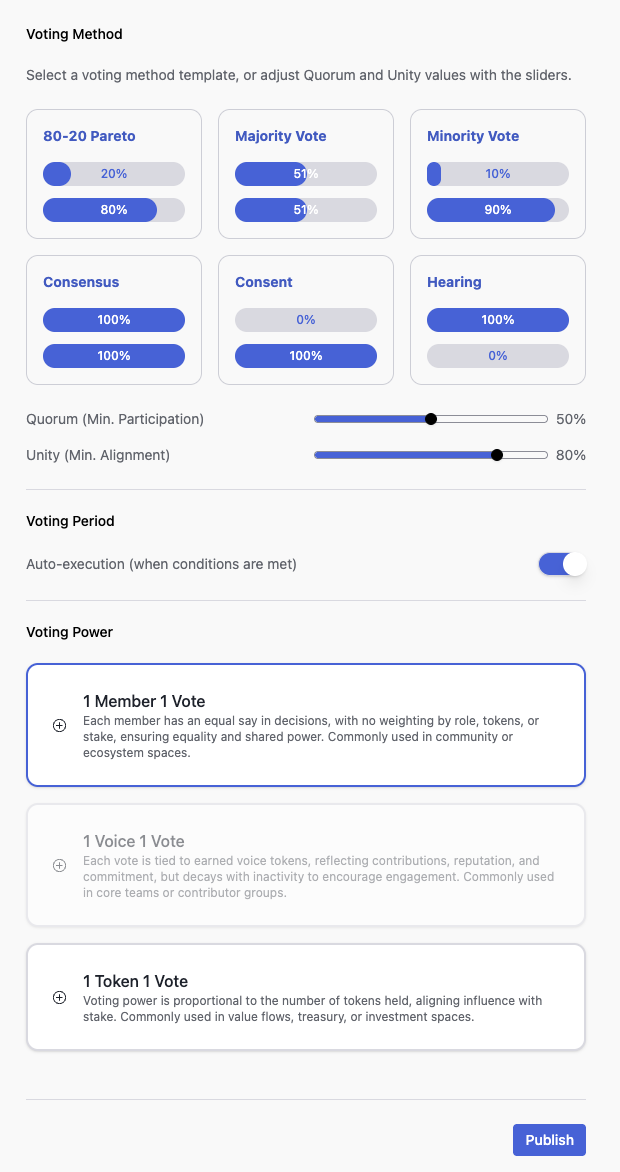
Voting rules define the thresholds required for a proposal to pass:
At least 50% of the voting power needs to be expressed for the proposal to pass
At least 80% of the votes need to be "Yes" for the proposal to pass
Phase 5
Create and manage your space's tokens.
In Space Settings, click "Issue New Token" to create a proposal for a new token. This proposal will be voted on by your space members — tokens are only created if the proposal passes.
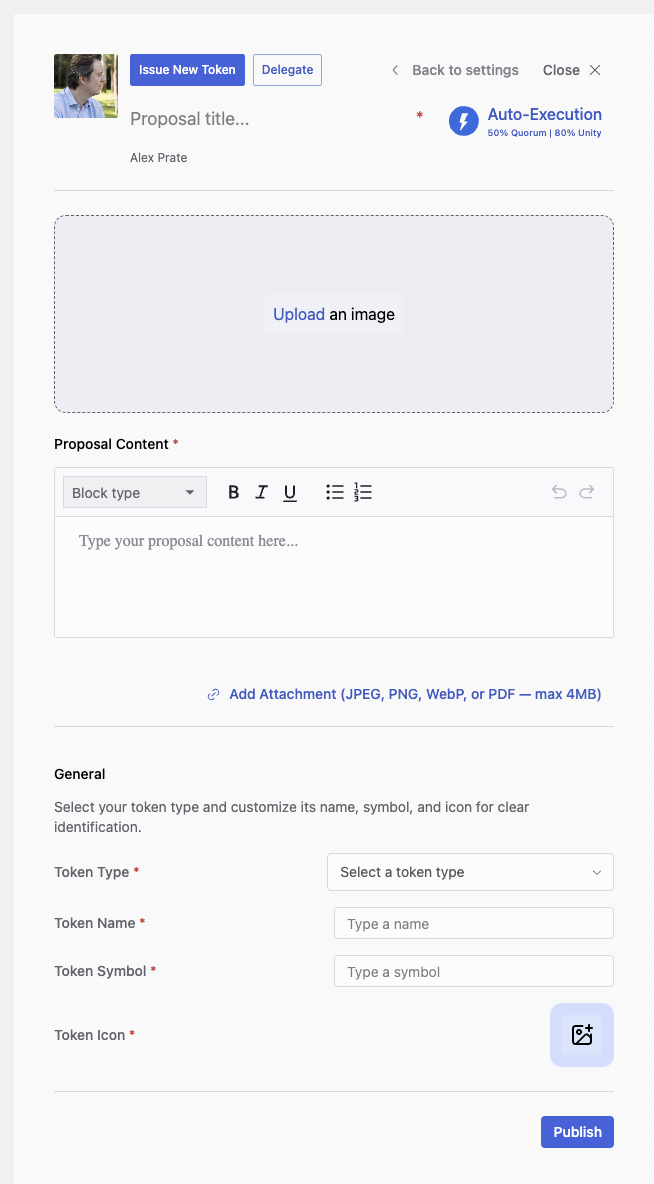
There are five types of tokens you can choose from:
Represent usage rights and acknowledgment of contributions. Unlock access to goods, services, or products within your organization's economy.
Redeemable credits exchangeable for fiat currency. Useful during pre-funding stages when you don't yet have fiat in your treasury.
Represent shared ownership of real-world assets like land or energy infrastructure. Include whitelisting and transfer rules for regulatory compliance.
Governance tokens acquired through contribution that are not transferable. Used with the '1 Voice 1 Vote' voting method.
Represent the social and ecological impact your organization creates. Help quantify and share the value of your collective impact.
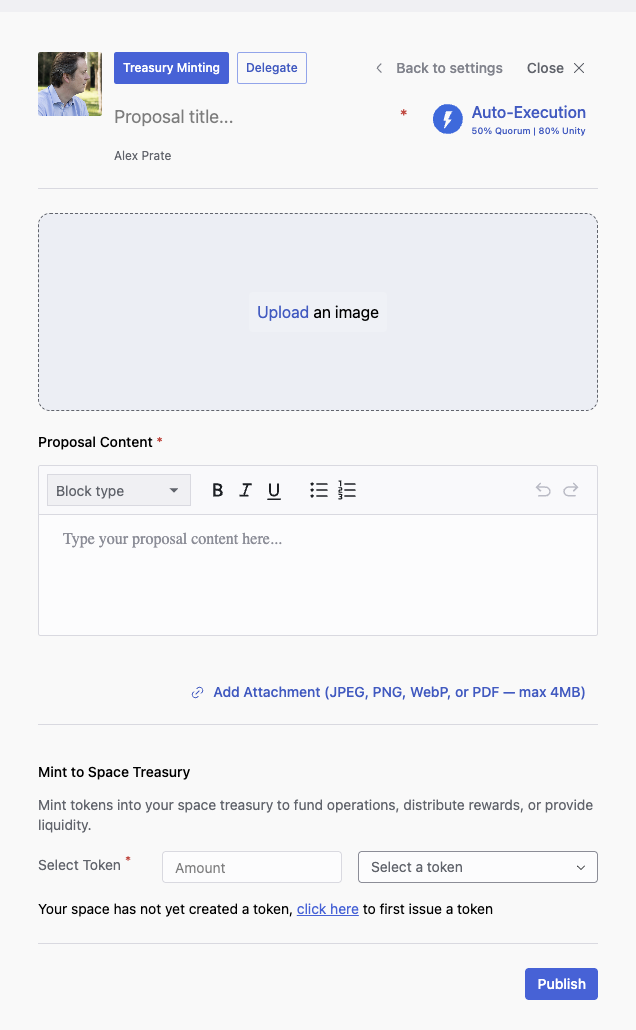
Mint tokens into your space treasury to fund operations, distribute rewards, or provide liquidity. In Space Settings, select "Treasury Minting" to create a minting proposal that your members will vote on.
Phase 6
Track member activities and reward contributions.
The Contribution proposal template allows members to request compensation for their work. When creating a contribution proposal, you can:
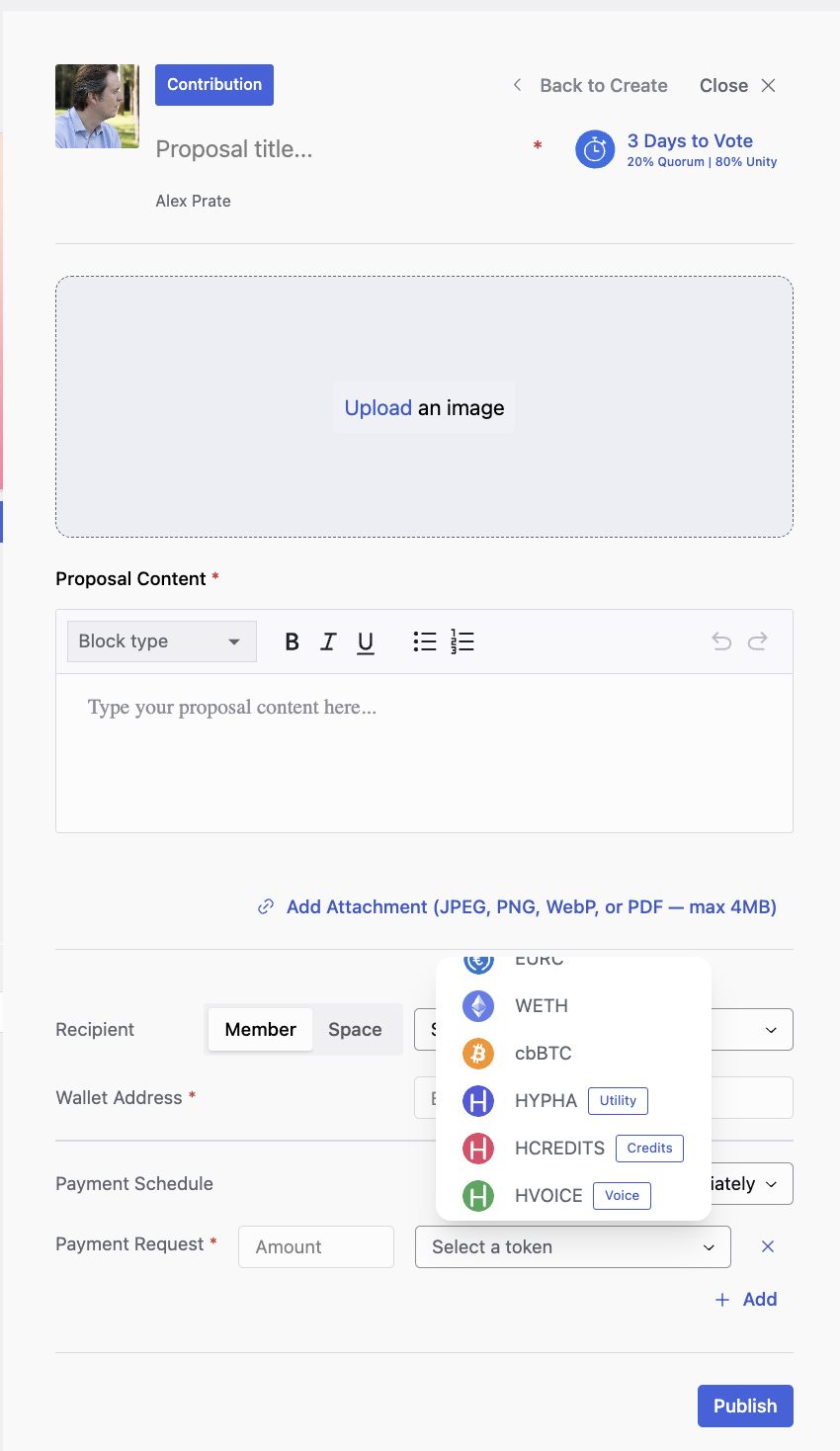
Contribution proposals are voted on by space members. Once approved, the requested rewards are distributed from the space treasury to the contributor.
Manage funds and control financial operations.
The Space Treasury is the central pool of funds managed by your Space. It serves as the financial hub for storing, deploying, and distributing resources. When you create your space, your treasury account is automatically created.
The treasury is self-custodian — your space fully controls it through proposals. Passed proposals act as a multi-signature (multi-sig) from space members based on the Quorum and Unity parameters you have set in your Voting Method.
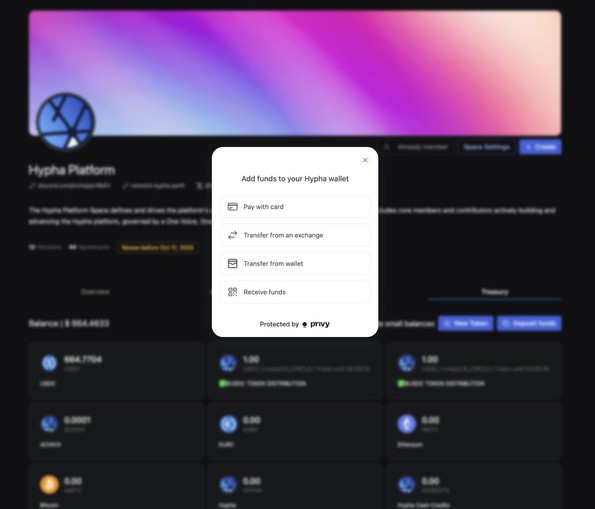
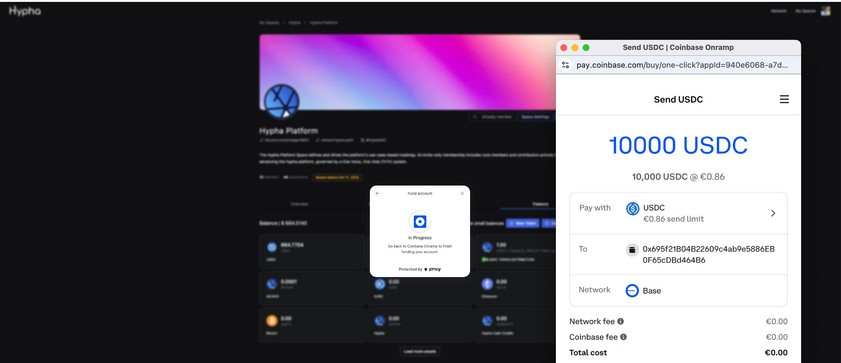
Deposit funds in your treasury with a credit card, bank account, decentralized exchange, wallet transfer, or by scanning a QR code.
This proposal template lets your Space pay for products and services by transferring funds from your treasury to another Space, entity, or individual wallet. Since other Spaces also have this feature, they can pay for the products and services you provide as well.
You can deploy funds from your Space Treasury to external Spaces or allocate resources by distributing budget to linked Spaces within your organization. This flexibility allows you to manage and support different areas within your organization efficiently.
By approving this proposal through a vote, your members authorize investments to flow into your Space. For investors, it's as simple as scanning a QR code to deposit funds into your Space treasury. In return, they automatically receive the Space tokens they are entitled to, based on the agreement defined in the proposal.
Ownership tokens operate under specific rules like whitelisting and transfer rules. This proposal requires approval from all members in the Space for any ownership transfer, ensuring integrity and alignment. It enables swapping ownership between members or spaces, whether selling a stake or exchanging assets.
Design value flows and configure smart contracts.
Tokenomics is about defining how the value generated by your organization should flow, and how the impact created should be redistributed. It is essential that these flows are fair and inclusive, recognizing all members' contributions and embracing the wider community, in line with regenerative principles.
It is possible to add a smart contract to your Space by giving ownership of that contract to your Space. This allows your community to govern value flows (tokenomics) directly from your space. Hypha's smart contract experts can guide you in setting this up, or Hypha can deliver a custom implementation through Hypha Services.
Continue
Skip the learning curve. Hypha Services builds your Space, network or ecosystem with you, then hands you the keys.